 Jorijn van der Graaf
25d991658f
The README had grown to 2,940 words (`wc -w README.md`): a table of the
app's screens with a list of notes on how the app behaves under it, the
checkout's method with its rules, errors and examples, and a subsection
on polkit rules with one written out. It is 1,170 words now.

What stays is what a reader needs to choose, install and use Nostro,
and what they must know for their money's sake: how nostrod keeps the
bank connections, the app's pictures with four notes under them,
installing, the CLI's commands, a paragraph on the checkout that points
at the interface's XML, and "Security" as a list whose last line points
at the polkit policy.

The README's warning against a rule that keeps an authorization moves
into the comment of that policy file, which already describes the rule
the README wrote out.

The guide's commit guidelines now say that the README is kept short,
and where what does not go into it goes. Two of the guide's sentences
spoke of what the README says of each screen: the one is gone, the
other no longer names the README. A third cited the README for what an
app with access to the checkout can learn of an order, which the
README no longer says: it stands without the citation.
7.7 KiB
Nostro
A big problem linux phones have is that they don't have banking apps, Nostro tries to change that.
By making a open source app that interfaces with bank APIs.
How Nostro runs
Nostro keeps your bank connections out of reach of the programs you run. Its daemon, nostrod, runs as a system user of its own and holds them for every user of the machine. The Nostro app and the nostro command ask nostrod over the system bus, and nostrod asks polkit whether you may:
- Looking at accounts, payments, requests and cards needs nothing more in your desktop session.
- Everything else asks for your password every time: whatever pays, and whatever changes something at your bank or in your bank connections.
Your desktop draws the password dialog, and it says what it is for: the amount, who is paid, and from which account. Nothing secret goes on the command line: Nostro asks for an API key at a prompt. The app holds none of your keys either: one you type into it goes to nostrod and is forgotten.
The app
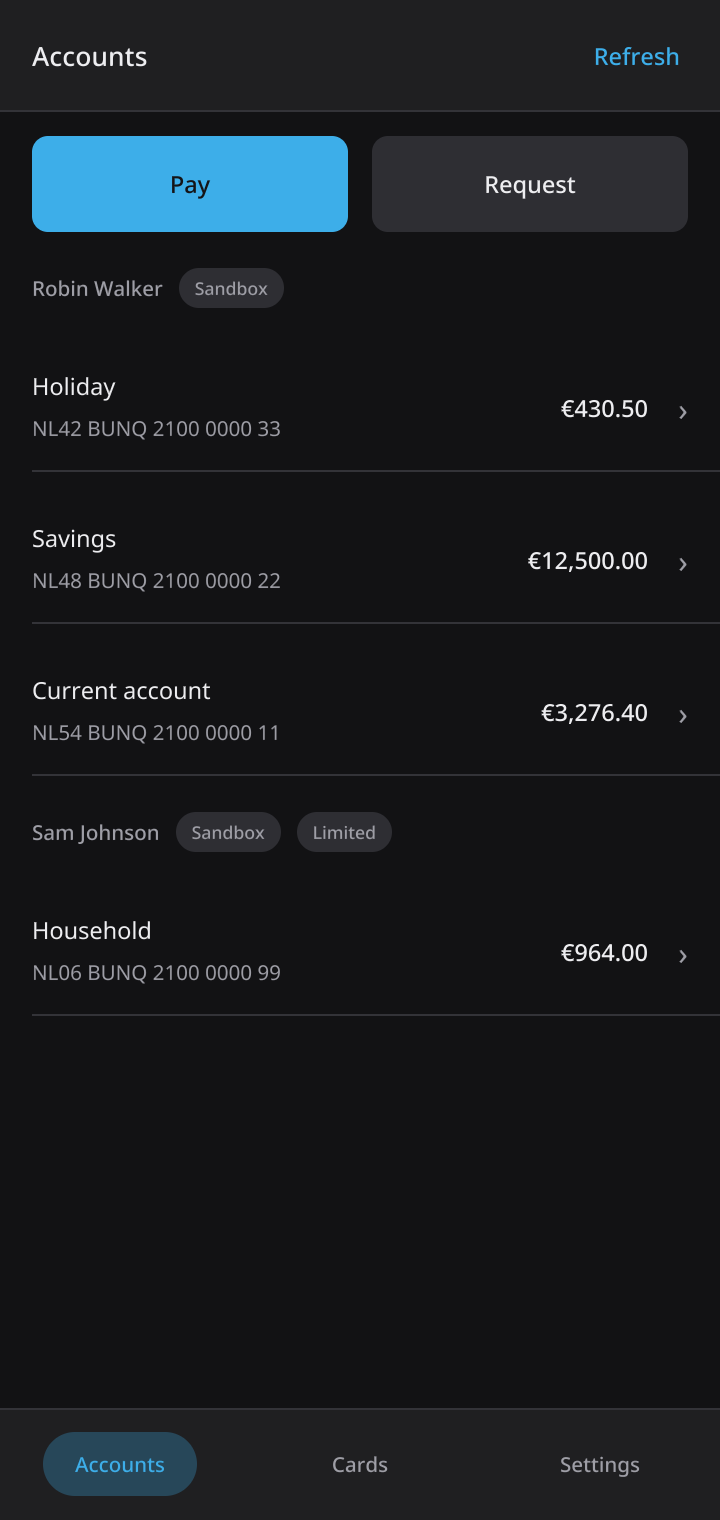
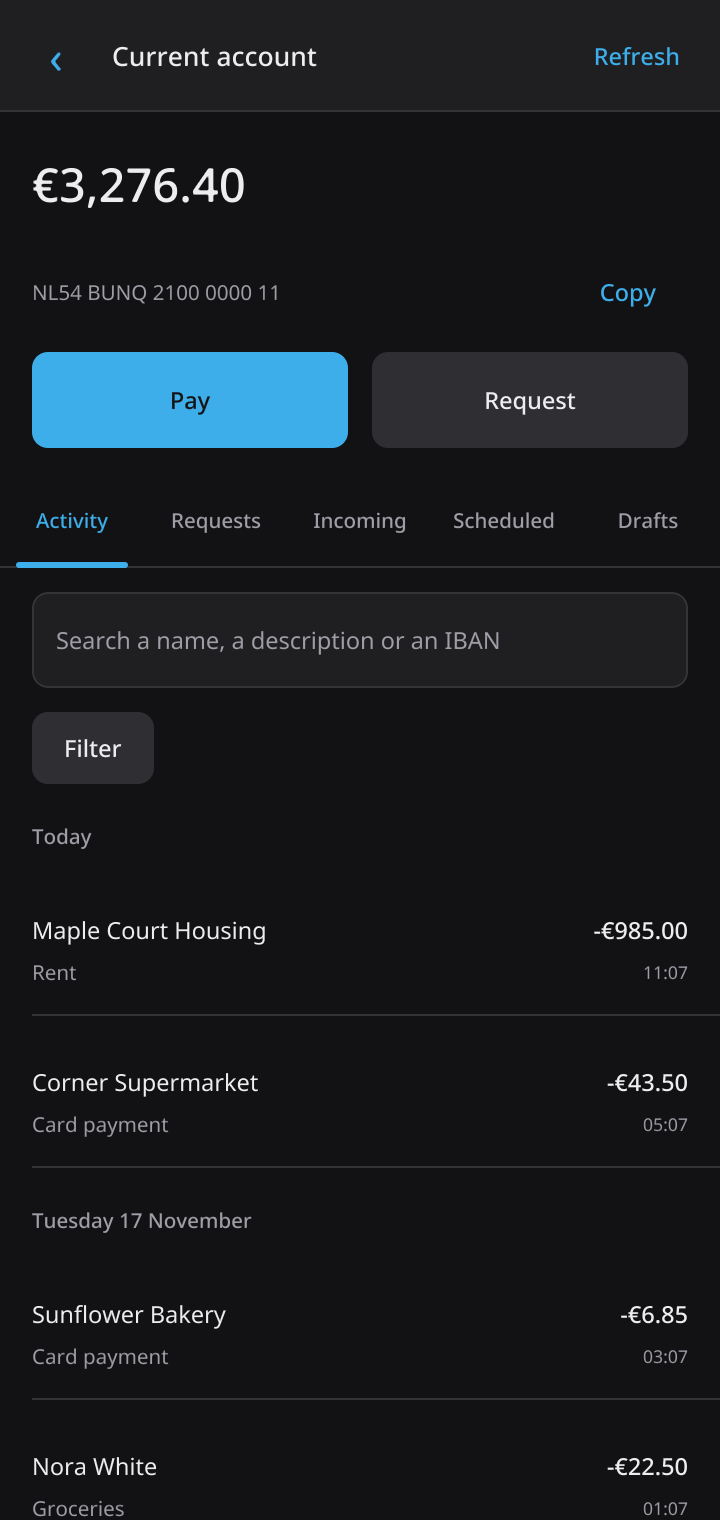
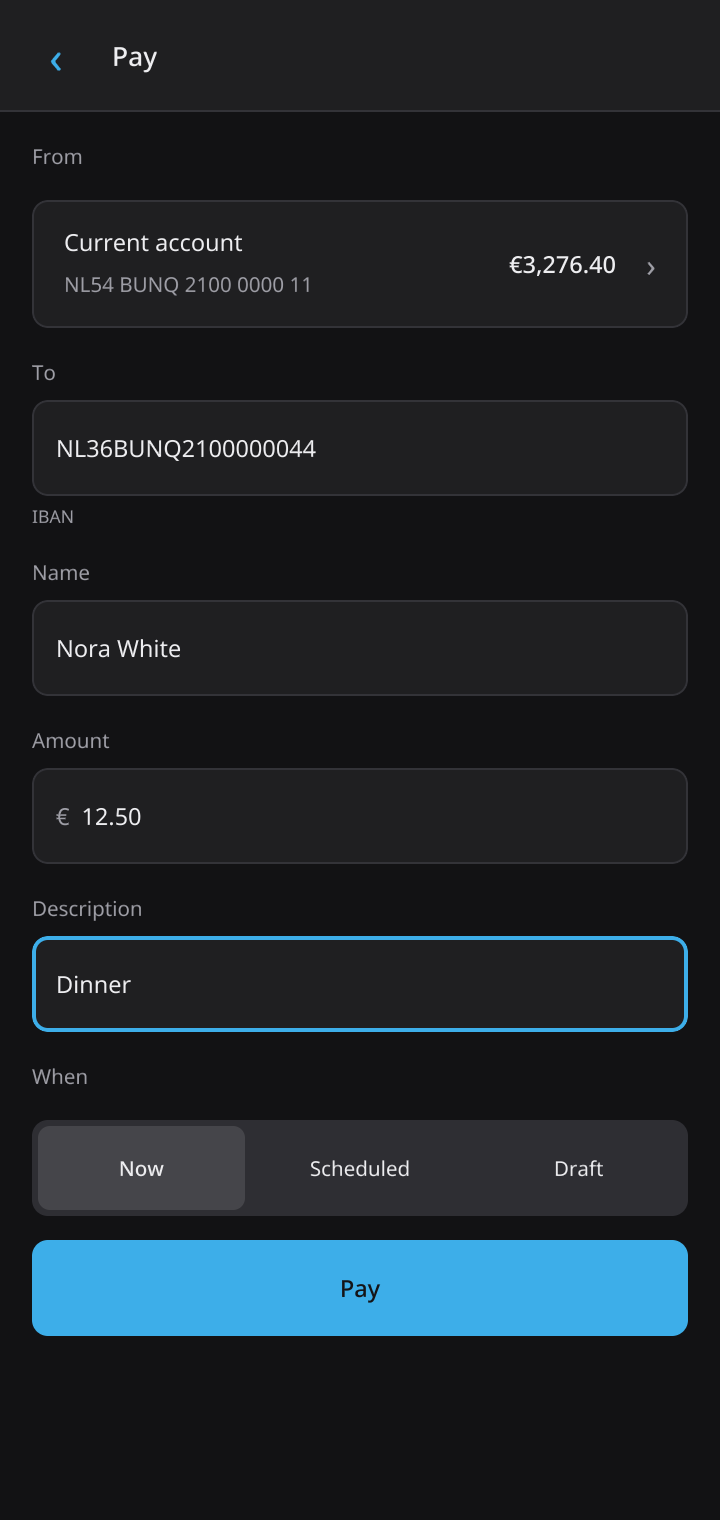
A window for a phone or a desktop, in your desktop's light or dark look. It does everything the nostro command does.
On a phone, in the dark look:
| Accounts | An account | Pay |
|---|---|---|
 |
 |
 |
In a desktop window, in the light look and in the dark one:
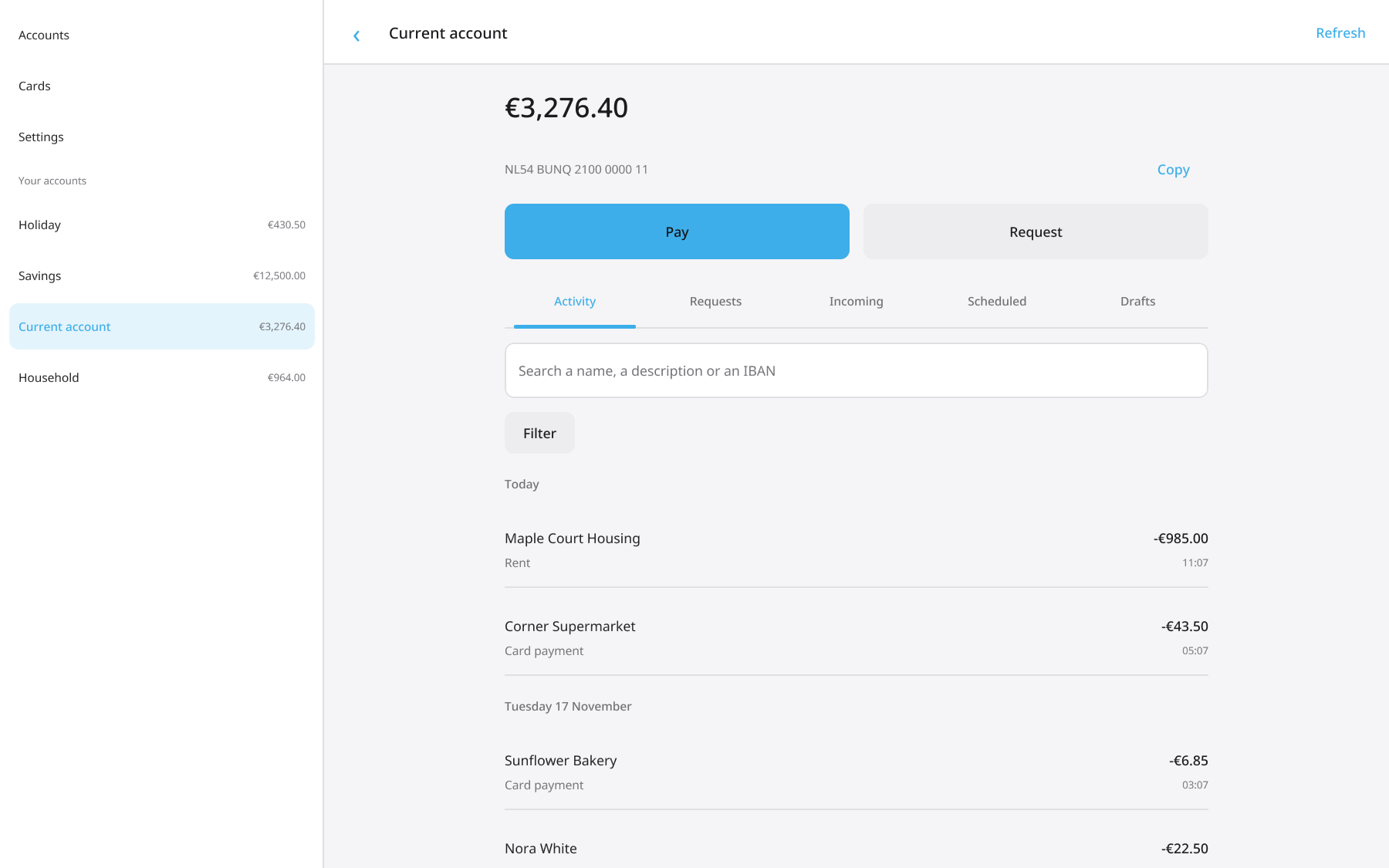
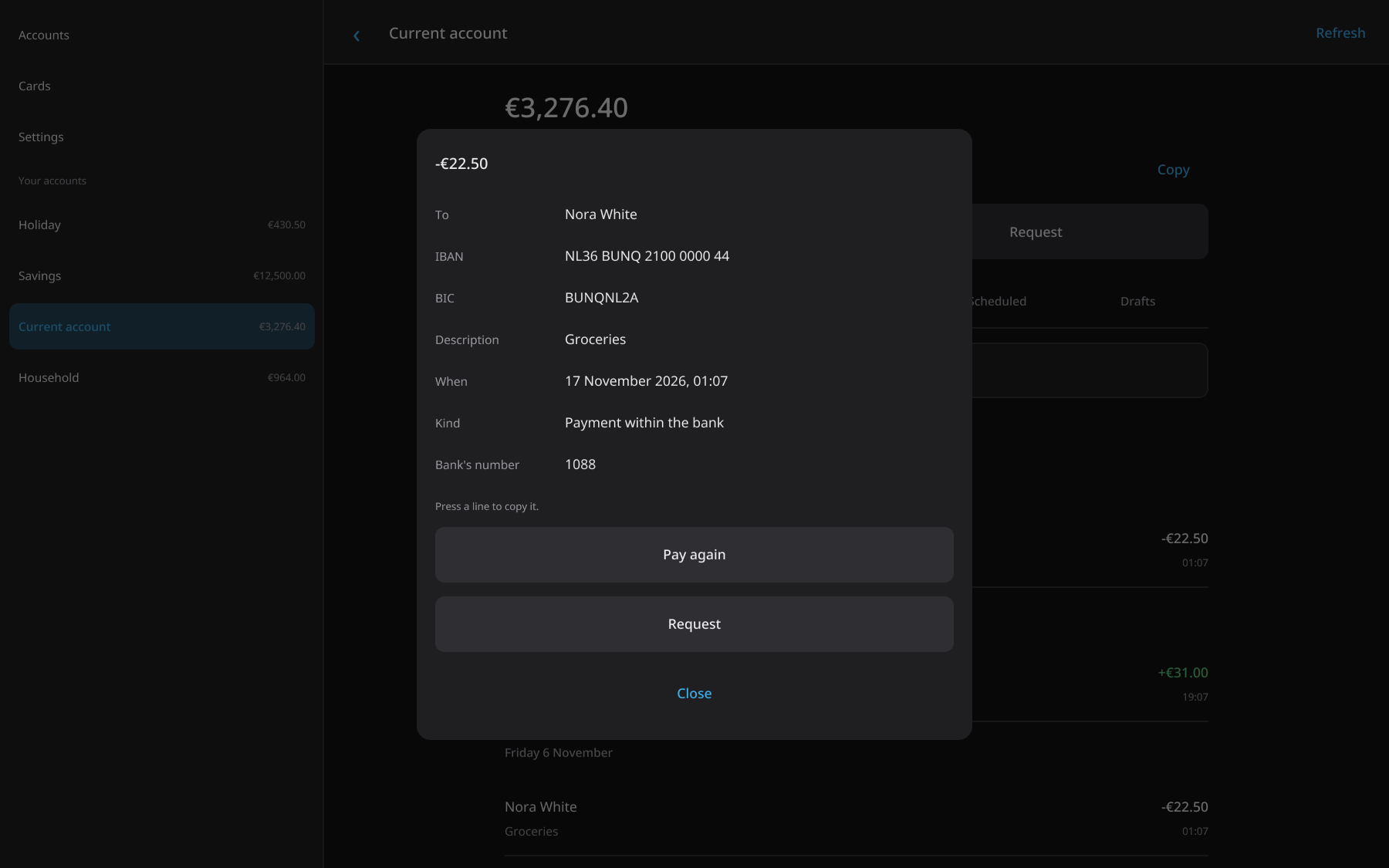
The accounts and the people in these pictures are made up.
- The Pay and Request forms send on their button, and your system's password dialog is where you confirm it: read what it says. Closing the dialog pays nothing.
- A connection that its bank lets pay between your own accounts only, as bunq does one made through OAuth, is marked Limited. A payment from it to anyone else is saved as a draft, to approve in your bank's app.
- Press a line of a payment's, a request's or a card's details to copy it.
- With a keyboard: Tab moves, Enter presses, Escape goes back, F5 reads the screen again and Ctrl+F searches.
Installing
nostrod and the nostro command come as a Flatpak, net.catcrafts.Nostrod, installed for the whole system. A Flatpak cannot install a few system files Nostro needs: nostrod's user, its D-Bus and polkit policies, its systemd unit, and the nostro command. Install both as root:
flatpak remote-add --system --if-not-exists catcrafts https://flatpak.catcrafts.net/catcrafts.flatpakrepo
flatpak install --system catcrafts net.catcrafts.Nostrod   # the Flatpak
packaging/system/install.sh                                # the system files
The app is a Flatpak of its own, net.catcrafts.Nostro, which each user can install for themselves; install.sh --app installs it for every user instead:
flatpak remote-add --user --if-not-exists catcrafts https://flatpak.catcrafts.net/catcrafts.flatpakrepo
flatpak install --user catcrafts net.catcrafts.Nostro
packaging/system/uninstall.sh removes everything again. Your bank connections stay in /var/lib/nostro until you give it --purge.
CLI
nostro connectors                                   # connectors, numbered, and whether they work
nostro connectors add bunq [allowed ips, default *]  # asks for the API key; a sandbox key starts with sandbox_
nostro connectors add bunq-oauth {client id} {redirect uri} [--sandbox]   # asks for the client secret
nostro connectors remove {name or number}           # logs out and deletes its stored transactions
nostro accounts                                     # all accounts of all connectors
nostro transactions {account} [--search text] [--amount n] [--from date] [--to date] [--limit n]
nostro send {account} {to} {name} {amount} {description, optional}
nostro request {account} {from} {name} {amount} {description, optional}
nostro requests {account} [revoke {id}]             # requests for money you sent
nostro incoming {account} [accept|reject {id}]      # requests for money you received
nostro schedule {account} {to} {name} {amount} {start date} {once|daily|weekly|monthly|yearly} {description, optional} [--every n] [--until date]
nostro scheduled {account} [cancel {id}]
nostro draft {account} {to} {name} {amount} {description, optional}
nostro drafts {account} [accept|reject {id}]
nostro cards [freeze|unfreeze|lost|stolen {card id}]
nostro checkout account [{account}]                 # the account apps may ask you to pay from, see Checkout
{account}is an account's name or its IBAN.{to}and{from}are an IBAN, an e-mail address, or a phone number starting with+.- Amounts are in the smallest unit of your currency, so for EUR
1250is €12.50. - Dates are
YYYY-MM-DDor"YYYY-MM-DD hh:mm", in local time.
Supported banks
Checkout for apps
An app, such as a shop, can have Nostro pay an order from the account you chose for that, in the app's settings or with nostro checkout account {account}, once you confirm the payment with your password. It calls Pay of net.catcrafts.Nostro1.Checkout on the system bus, which packaging/dbus/net.catcrafts.Nostro1.Checkout.xml documents, or links the Nostro.Checkout module (crafter-build --product=checkout). It gets a payment id back, which is not a receipt: confirm the money arrived with your own bank.
Contributing
Nostro gladly accepts contributions to add more banks!
Please add a connector for the bank you want to add and git send-email the patch to jorijnvdgraaf@catcrafts.net
Please add thorough testing coverage for te bank you are submitting.
For 100% certainity blind submissions for connectors are not accepted, they must be tested against either the live or sandbox API.
Security
Please report security vuneribilities to jorijnvdgraaf@catcrafts.net before publishing them.
What Nostro protects you from, and what it does not:
- Programs you run cannot read your bank connections, and cannot pay or change anything at your bank without your password. They can look: in your desktop session any of them can read your accounts, payments, requests and cards.
- The app is one of those programs. It holds no key, and its Flatpak has no network and none of your files.
- The password dialog is your desktop's. A program could draw one that looks the same, so type your password only for something you asked for, and read what the dialog says.
- Over SSH, or in any session without a polkit agent, nothing can ask for your password, so whatever needs it is refused.
- The bank connections are not encrypted on disk: use full-disk encryption.
- An administrator can change what asks for a password, with polkit rules for the actions in the policy. A rule cannot tell Nostro from any other program you run, and one that lets
PayorChangepass makes one press on a form a payment or a draft.
License
The library, nostrod, the nostro command and the checkout library are LGPL-3.0-only, see LICENSE. The app is GPL-3.0-only, see LICENSE.GPL: the modules Nostro.Ui, Nostro.App and Nostro.Ui.Shell, and nostro-app.
The app is set in Noto Sans, under the SIL Open Font License (assets/OFL.txt); packaging/licenses/NOTICE lists what else the Flatpaks carry.
Copyright
Copyright (C) 2026 Catcrafts® catcrafts.net